The Four Main WordPress Security Tool Categories
WordPress security conversations often devolve into brand comparisons: Wordfence versus Sucuri, WPScan versus the rest. This framing obscures the more useful question, which is not which tool wins but which tool categories you are actually comparing.
There are four genuinely distinct tool categories serving WordPress security. Local auditors run offline checks against an installation you control, producing point-in-time reports. Always-on web application firewalls sit in front of a live site and block traffic in real time. Command-line CVE scanners query a vulnerability database against your installed version list. Managed SaaS platforms combine cloud-hosted scanning with human incident-response teams.
These are not competing solutions. They solve different problems. Understanding the niche each fills is the prerequisite for building a stack that provides real coverage rather than the illusion of it.
Local Auditor Strengths: Privacy, Depth, and No Subscription
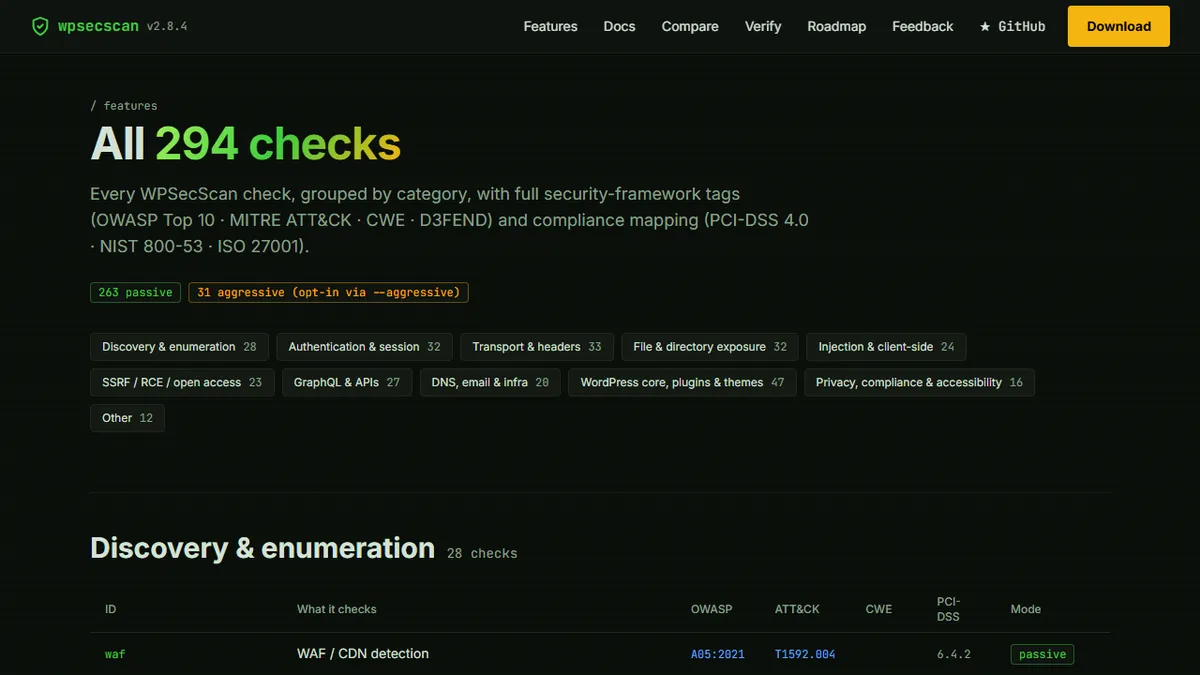
A local auditor like WPSecScan performs its checks on your machine, which means your scan data never leaves your infrastructure. For organisations with data-handling obligations — healthcare providers, legal firms, financial services companies — this is not a nice-to-have; it is a compliance requirement.
The depth advantage follows from the same property. Because a local scanner has direct access to the installation rather than observing it from the outside, it can inspect file permissions, check for exposed credential files, audit PHP configuration, and enumerate installed plugins with their exact version numbers. Remote scanners that probe the public face of a site see only what an unauthenticated visitor would see.
No subscription fee means no tiered feature gating. The entire check set — all 294 checks across eleven categories — is available from the first run. For teams that run audits infrequently or across multiple sites, this economics model is considerably more attractive than per-site subscription pricing.
Always-On WAF Strengths: Real-Time Blocking and Malware Quarantine
Wordfence is the dominant example of this category. It installs as a WordPress plugin and operates as a web application firewall that evaluates incoming traffic against a ruleset, blocks recognised attack patterns, and quarantines files that match malware signatures.
The core strength of an always-on WAF is temporal coverage. A local auditor tells you about vulnerabilities at the moment you run it. A WAF is watching every request, every minute of every day. When a new exploit for a popular plugin appears and bots begin scanning for vulnerable sites within hours of the CVE publication, the WAF is already inspecting that traffic.
The tradeoff is that the WAF is installed on the WordPress server itself, which means a sufficiently privileged attacker who has already compromised the installation can potentially disable it. It also means the WAF's performance has a direct impact on page load times — a consideration for high-traffic sites where every millisecond matters.
Ruby CLI Strengths: The Longest-Running WP CVE Database
WPScan CLI is a Ruby-based command-line tool that has been maintained since 2011 and accumulated one of the longest-running WordPress-specific vulnerability databases in existence. Its CVE database has historical depth that newer tools have not yet matched, and its passive enumeration mode is widely respected in penetration testing circles.
The practical strength of WPScan is its familiarity within the security professional community. If you are engaging a penetration tester or security consultant to audit your site, WPScan CLI output is a format they will understand immediately. Its JSON export integrates with toolchains that security teams already have in place.
The limitation is infrastructure overhead: running WPScan requires a Ruby environment, and its commercial API tier is required for full CVE database access. For non-technical WordPress site owners, the setup friction is real.
Managed SaaS Strengths: Incident Response and Hands-Off Operation
Sucuri and similar managed security platforms offer something the self-run tools cannot: people. When a compromise is detected, a managed SaaS service provides an incident response team that will clean the infection, restore the site, and identify the entry point. For site owners who lack the technical confidence to respond to a breach independently, this is the category that actually solves the problem they are afraid of.
The tradeoffs are cost and data handling. Managed SaaS is typically the most expensive option at scale, and routing your site's security scan data through a third-party cloud introduces a data-handling consideration that some organisations need to evaluate against their privacy obligations.
The 37-Row Comparison Criteria That Actually Matter
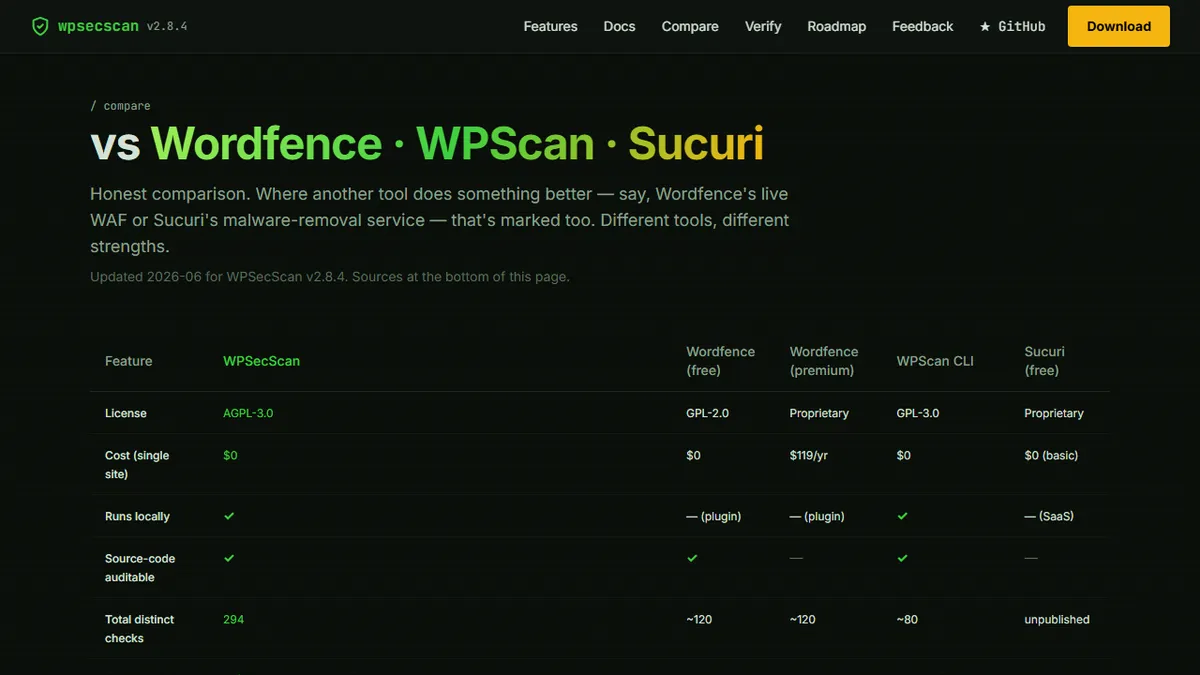
When comparing these tools across specific capabilities, the differences become granular. To see the full 37-row side-by-side feature matrix, WPSecScan's comparison page evaluates local auditor, WAF, CLI, and SaaS options across criteria including check depth, data sovereignty, CVE source count, compliance framework mapping, report format variety, CI/CD integration, and pricing model.
A few criteria consistently distinguish the categories in ways that matter to practitioners. CVE source count: local auditors aggregating from eight sources provide broader coverage than tools relying on a single proprietary database. Compliance mapping: tools that tag each check against OWASP, PCI-DSS, HIPAA, and other frameworks turn scanner output into audit evidence. Offline capability: tools that require an active internet connection for every scan have a dependency that local auditors do not.
Recommended Layered Stack for Different Site Types
For a personal blog or low-traffic informational site, a quarterly local audit combined with a free Wordfence installation provides reasonable coverage without ongoing cost. The audit catches configuration issues that the WAF cannot see; the WAF handles opportunistic exploit attempts between audits.
For an e-commerce site handling payment data, add a managed SaaS layer for incident response capability and run the local auditor monthly with compliance reporting enabled for PCI-DSS evidence. The investment is justified by the liability exposure a breach creates.
For an agency managing multiple client sites, a local auditor with multi-tenant support and white-label reporting handles the audit workload; the WAF is deployed per site; and WPScan CLI is available for ad-hoc penetration testing exercises that clients request independently.
The common thread across all these stacks is that no single tool covers the full threat surface. The tools are complements, not competitors.