Why VRAM Is the First Number You Need to Know
Before you evaluate benchmark scores, context windows, or licence terms, there is one number that determines whether a model will even load on your hardware: VRAM. Video RAM is the memory on your GPU, and a model that exceeds it simply cannot run, or runs so slowly through system memory offloading that it becomes practically unusable.
The arithmetic is straightforward once you know the rules. A full-precision (fp16) model requires roughly two bytes per parameter, so a 7B-parameter model needs approximately 14 GB of VRAM. A 70B model needs roughly 140 GB. Most consumer and mid-range professional GPUs sit well below those thresholds, which is why quantization (the process of representing weights at lower numerical precision) matters so much for local inference.
A well-chosen quantized model on appropriate hardware will feel faster and more responsive than an oversized model grinding through memory pressure. The top-rated models for local GPU inference are almost all evaluated at quantized precision for exactly this reason.
Understanding Quantization: fp16 vs. Q8 vs. Q4 Trade-offs
Quantization reduces the number of bits used to represent each weight in the model. Full fp16 precision uses 16 bits per parameter. Q8 (8-bit quantization) cuts that roughly in half, reducing VRAM requirements by about 50% with minimal quality degradation. For most tasks, Q8 is indistinguishable from fp16 in output quality. Q4 (4-bit quantization) halves it again, bringing a 70B model from roughly 140 GB down to around 42 GB, making it tractable on two A100s or a single H100.
The quality cost of Q4 is real but small for most tasks. Reasoning-heavy tasks (complex maths, formal logic, multi-step problem solving) show the largest degradation between fp16 and Q4. For conversational tasks, summarisation, and light coding assistance, the difference is often imperceptible. Q4_K_M is generally regarded as the best balance between size and quality for consumer hardware.
Consumer GPU Tier (12–24 GB VRAM): Best Model Choices
An RTX 4090 with 24 GB of VRAM is the best consumer GPU available for local inference. At Q4, it can run models up to roughly 32B parameters: Qwen2.5 32B Instruct, Mistral Small 3 (24B), and Phi-4 (14B) all load comfortably. Phi-4 at 14B needs only about 8.4 GB at Q4, leaving room on a 4090 for context windows large enough for serious document work.
For RTX 3090 and 4090 owners at 24 GB, the practical ceiling is Qwen2.5 32B at Q4, which sits at approximately 19 GB. Pushing to 70B at Q4 requires about 42 GB and won't fit on a single consumer card.
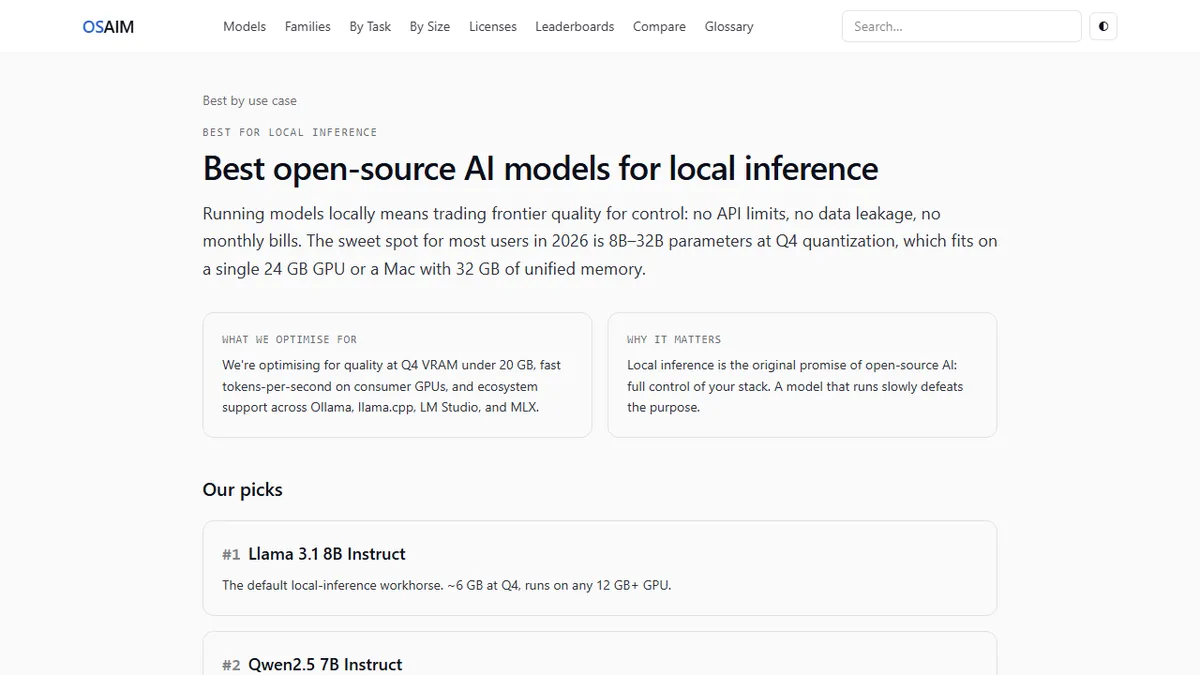
At 12 GB (RTX 3060, 4070), the sweet spot is 7B to 8B models at fp16 or 13B models at Q4. Llama 3.1 8B Instruct at fp16 uses roughly 16 GB, a tight fit at 12 GB, but Q4 brings it down to about 5 GB, leaving room to spare.
Professional GPU Tier (80 GB VRAM / Multi-GPU): Unlocking 70B+
An H100 80 GB card can run Llama 3.3 70B and Qwen2.5 72B at fp16, which means full-precision quality on the best open-weights 70B models without quantization. This is the tier where you stop worrying about quality degradation from compression and start optimising purely for throughput and latency.
An A100 80 GB has the same memory capacity but lower bandwidth and different performance characteristics. Two A100s running a 70B model in tensor-parallel configuration give you throughput suitable for serving multiple simultaneous users.
For full-parameter models above 100B (DeepSeek R1 at 671B, Llama 3.1 405B), the requirement jumps to eight H100s or equivalent. Very few teams self-host at this scale; API access from a hosted provider is the practical path for most.
Apple Silicon and Unified Memory: An Underrated Local-Inference Platform
Apple Silicon Macs occupy a uniquely attractive position for local LLM inference that is often underestimated by developers focused on discrete GPUs. The key is unified memory: the GPU and CPU share the same physical memory pool, which means all available RAM is addressable for inference without the VRAM ceiling that constrains discrete GPUs.
A MacBook Pro with 36 GB of unified memory can comfortably run a 32B model at Q4, and a Mac Studio with 96 GB can handle the same 70B models that require an H100 on discrete GPU platforms. The MLX framework, developed specifically for Apple Silicon, delivers inference speeds that are competitive with well-optimised CUDA implementations on equivalent memory budgets.
For developers who want capable local inference without building a dedicated GPU workstation, a Mac with 32 GB or more of unified memory is often the most cost-effective solution available.
CPU-Only Inference: What's Actually Usable in 2025
Running LLM inference on CPU alone is the slowest option by a significant margin (typically 10 to 50 times slower than GPU inference), but it is not useless. For asynchronous workloads where latency is unimportant, batch document processing, and local privacy-sensitive tasks that don't need real-time response, CPU inference is perfectly workable.
The practical ceiling on CPU-only setups is models around 7B to 8B parameters at Q4. Llama 3.1 8B at Q4 uses roughly 5 GB of RAM and runs at usable speeds on a modern desktop CPU: expect somewhere between 5 and 15 tokens per second on a mid-range processor, which is fast enough to read comfortably. Models larger than 13B become slow enough at Q4 that the experience degrades noticeably for interactive use.
For CPU inference, llama.cpp is the reference implementation and delivers the best performance across x86 and ARM hardware. Most other CPU-focused inference tools either build on it directly or use similar optimisation strategies.