How to Confirm a Site Is Genuinely Impersonating Your Brand
The first task is verification, not action. A customer complaint about a fake version of your site could be a genuine impersonation campaign, a lookalike domain operated by a confused affiliate, or a misidentification of a legitimate competitor. Acting decisively on a misdiagnosis wastes resources and can create legal exposure.
Confirmation requires comparing the suspected domain against your own brand assets systematically. Does the site copy your logo, color scheme, typography, or brand photography? Does it reproduce your product or service descriptions with minimal modification? Does it use a lookalike domain that incorporates your brand name with a minor variation: an added hyphen, a different TLD, a replaced letter that appears similar at a glance? Does it operate a login form that submits credentials to a server you do not control?
Run the suspected domain through VirusTotal to see whether it has already been flagged by security vendors. Check the domain registration date. Very recently registered lookalike domains are a strong indicator of a deliberate impersonation campaign rather than coincidental similarity. Document everything you find before taking any action: screenshots with visible URL, VirusTotal results, WHOIS record, and the specific brand elements being copied.
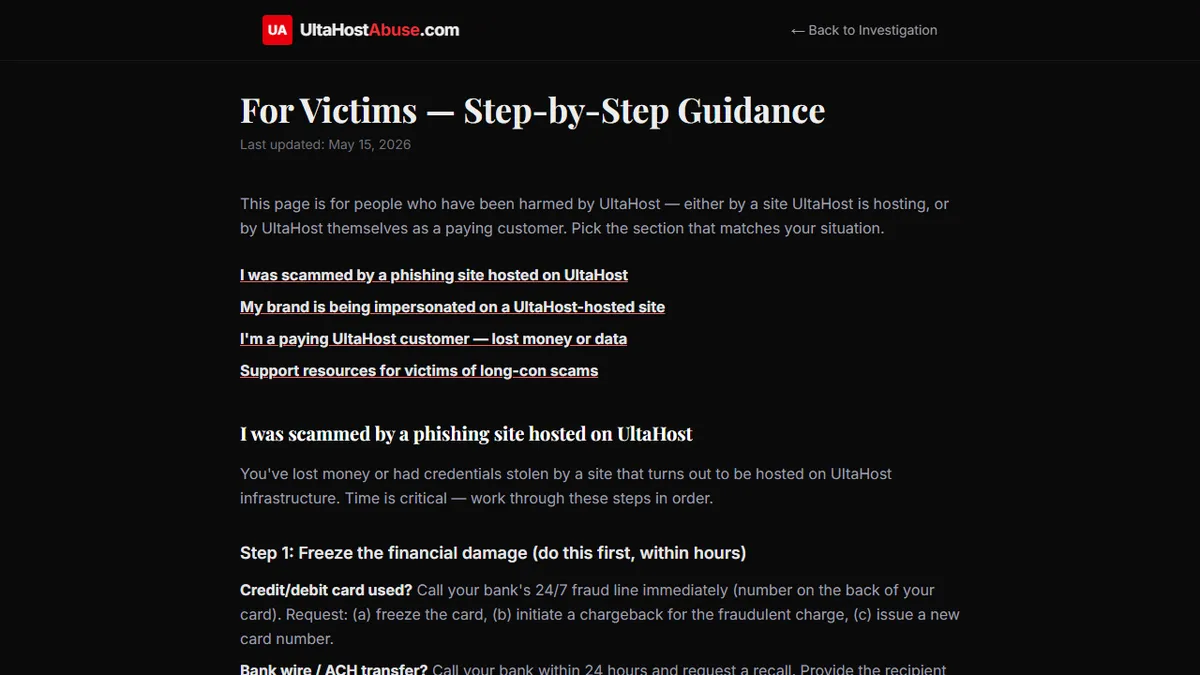
The step-by-step guide for brand impersonation and phishing victims provides a detailed evidence-gathering checklist for businesses working through this process for the first time.
Immediate Actions in the First 24 Hours
Once you have confirmed that genuine impersonation is occurring, speed matters. The longer an active phishing page operates, the more credentials it harvests and the more your customers are exposed.
In the first 24 hours, your priority actions are simultaneous, not sequential. Submit abuse reports to the registrar of the impersonating domain and to the hosting provider, with your complete documented evidence package. Submit the URL to Google Safe Browsing and Microsoft SmartScreen. These tools power the browser warning systems used by Chrome, Firefox, Edge, and Safari, and getting the URL flagged in these databases produces the fastest consumer-protection outcome available to you.
At the same time, alert your internal teams. Customer service needs to be prepared for incoming reports from customers who have encountered the fake site. Security needs to know to monitor for credential stuffing attacks using harvested login details. Marketing needs to be prepared to communicate with customers if the scale of the campaign warrants it.
If you can identify that active credential harvesting is occurring — for instance, if customers are contacting you to report unusual account activity shortly after visiting a URL that is not yours — escalate your internal response to treat this as an active security incident with potential data-breach implications.
The Registrar and Host Abuse-Reporting Process — and Its Limits
Registrar abuse reports follow the process described in detail elsewhere in this series: find the abuse contact, submit a clear report with documented evidence, follow up if no response is received within 48 hours. For brand impersonation, the most effective initial report is one that includes a clear statement that the domain is infringing your trademark; trademark infringement claims tend to produce faster registrar responses than generic phishing complaints, because the legal exposure for the registrar is more direct.
Hosting provider reports follow a similar process. Identify the hosting provider through an IP lookup on the domain, find the abuse contact, and submit your evidence with a clear statement of the harm. Include a specific request for immediate suspension.
The honest caveat here is that for domains hosted on providers with a poor abuse-response record, these reports may not produce timely results. Providers that are structured to protect their criminal customers will treat your brand protection report the same way they treat any other abuse complaint: slowly, minimally, or not at all. This is not a reason to skip the initial report (you need it on the record for subsequent escalation steps), but it should calibrate your expectations for the timeline.
When You Need a Trademark Order to Get Action
For major brand impersonation campaigns where the registrar and host have failed to respond to abuse reports, a trademark-based legal demand is often the tool that produces movement where informal reports could not.
Most domain registrars and hosting providers will comply with a formal legal demand backed by trademark documentation faster than they will comply with an informal abuse complaint, because the legal exposure for non-compliance is qualitatively different. A cease-and-desist letter from a lawyer, accompanied by trademark registration evidence, changes the calculation for the provider's legal team in a way that an abuse report to a customer service queue does not.
ICANN's Uniform Domain-Name Dispute-Resolution Policy provides a formal arbitration pathway for domain disputes involving trademark infringement. The process takes weeks rather than hours, and it involves filing fees, but it produces binding decisions that registrars are contractually obligated to implement. For campaigns involving multiple lookalike domains operated by the same actor, a UDRP case can address several domains simultaneously.
Domain takedown firms specialize in this process and maintain established relationships with registrars and providers that typically compress timelines compared to self-represented filings.
Notifying Your Customers Without Amplifying the Scam
Customer notification is one of the most delicate aspects of responding to brand impersonation, because there is a genuine risk that raising awareness of the fake site inadvertently drives curious customers to visit it.
The effective approach is to communicate the protective action ("here is how to ensure you are on our real website") rather than the threat. Provide your customers with the exact URL of your legitimate site, explain how to verify SSL certificate details, and advise them on what to do if they believe they have entered credentials on a site that was not yours. Do not include the impersonating domain name in any customer-facing communication if it can be avoided.
If the impersonation has already affected customer accounts, and you have evidence that credentials harvested by the fake site have been used to access real accounts, you may have data breach notification obligations under applicable law. Consult legal counsel before communicating in circumstances where breach notification requirements may apply.
Legal Escalation Options and Evidence Preservation
Alongside the domain and hosting abuse process, preserve your evidence in a format suitable for legal proceedings. This means creating a complete documentary record: timestamped screenshots, VirusTotal results, WHOIS records, records of every abuse report submitted and every response received, and records of customer harm where it has occurred.
Depending on your jurisdiction, you may have civil causes of action beyond trademark infringement: passing off, trade name misappropriation, fraud, and in cases where customer data has been compromised, potential claims related to data protection law. The specific remedies available vary significantly by jurisdiction, and the strength of your position depends heavily on the quality of your documentation.
Law enforcement referrals — to the FBI's Internet Crime Complaint Center in the US, Action Fraud in the UK, or equivalent bodies in other jurisdictions — are appropriate when there is evidence of financial harm to customers. These bodies move slowly and rarely produce immediate results, but formal referrals contribute to the investigative record and may eventually support criminal prosecutions.
Longer-Term Brand Monitoring to Catch Future Impersonations
A successful takedown of one impersonating domain does not guarantee that the same or different actors will not register new lookalike domains targeting the same brand. Ongoing monitoring is the only way to catch new campaigns quickly.
Domain monitoring services track newly registered domains containing your brand name, variants, or common misspellings. Several services offer free or low-cost tiers adequate for monitoring purposes. Google Alerts set on your brand name combined with terms like "login," "account," or "verify" can flag new web content associated with impersonation campaigns. Periodic VirusTotal searches on your domain name and common lookalikes surface phishing references that may not have generated customer reports.
Building a monitoring workflow that takes fifteen minutes per week significantly compresses the time between a new impersonation campaign launching and your response to it. That compression directly reduces the number of customers who encounter the fake site before it is taken down.